
Moving Projects and Sites
You can move projects between clients and sites between projects. Related data (statistics, Lighthouse, etc.) is updated automatically.
Move Projects to Another Client
You can easily move projects between clients in your organization. (*you must have admin role permissions for both of the clients).
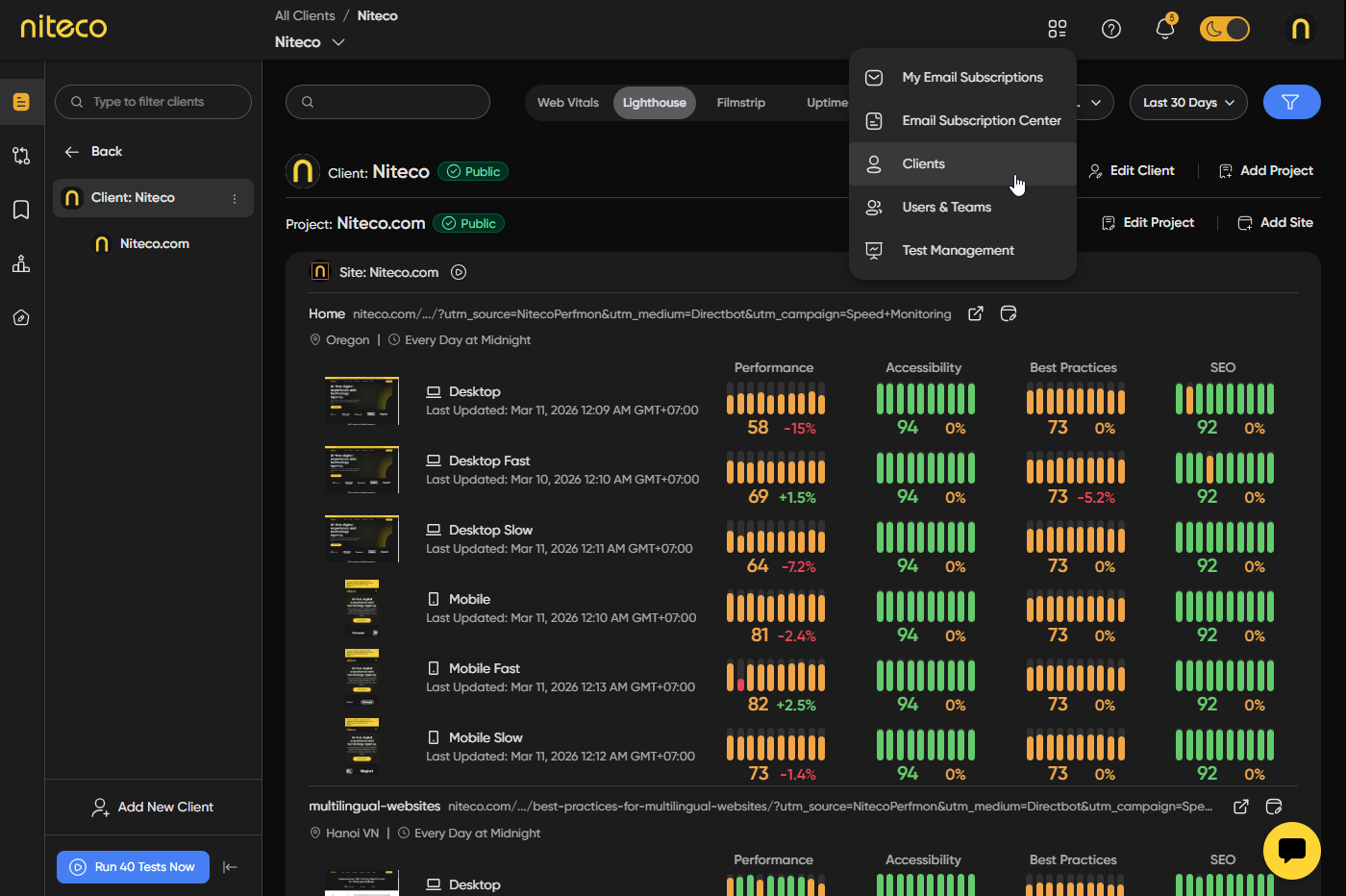
Select Clients from the top menu and open the settings of the client that owns the project you want to move.
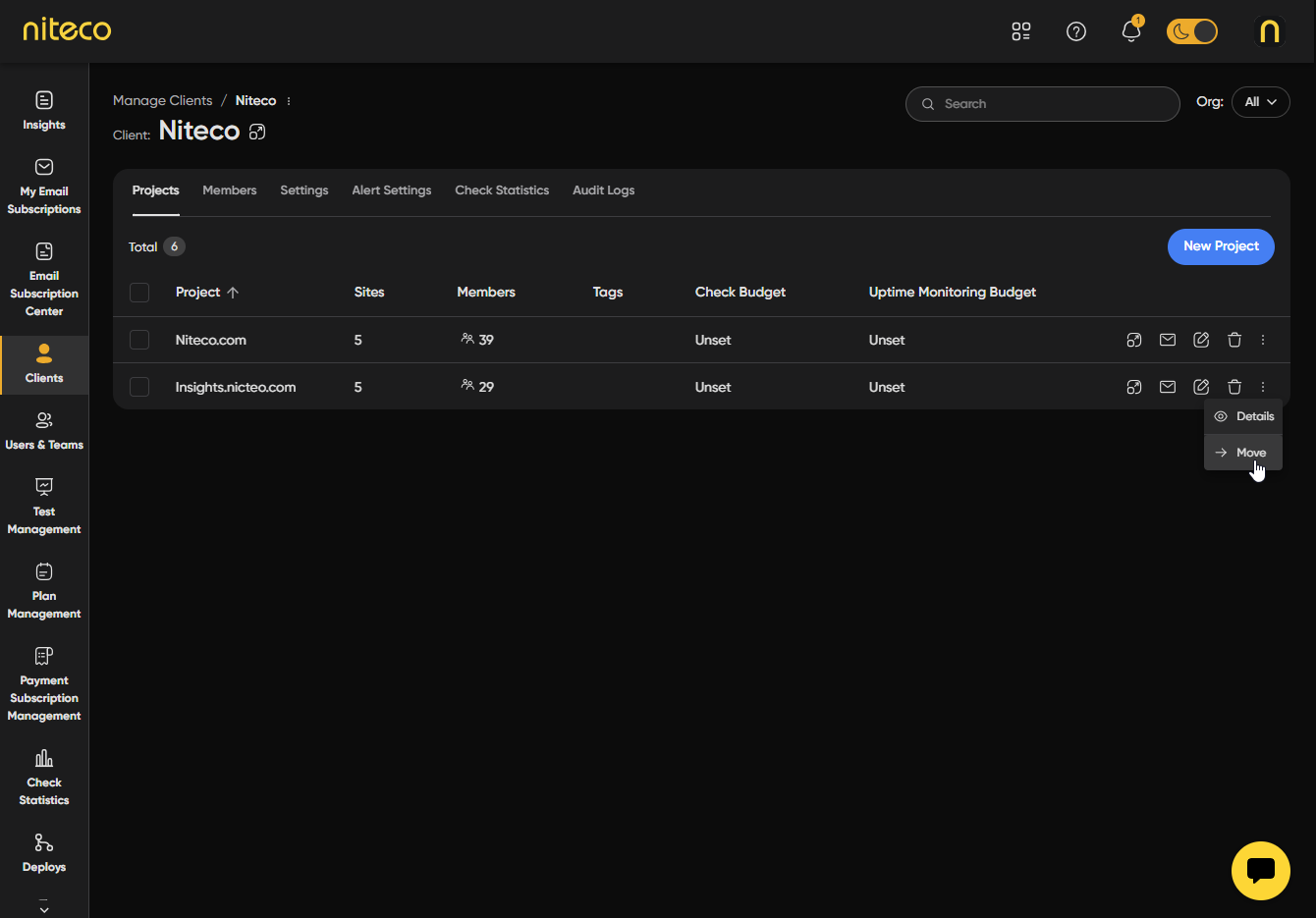
Click on the the options icon of the project you want to move and select Move Project.
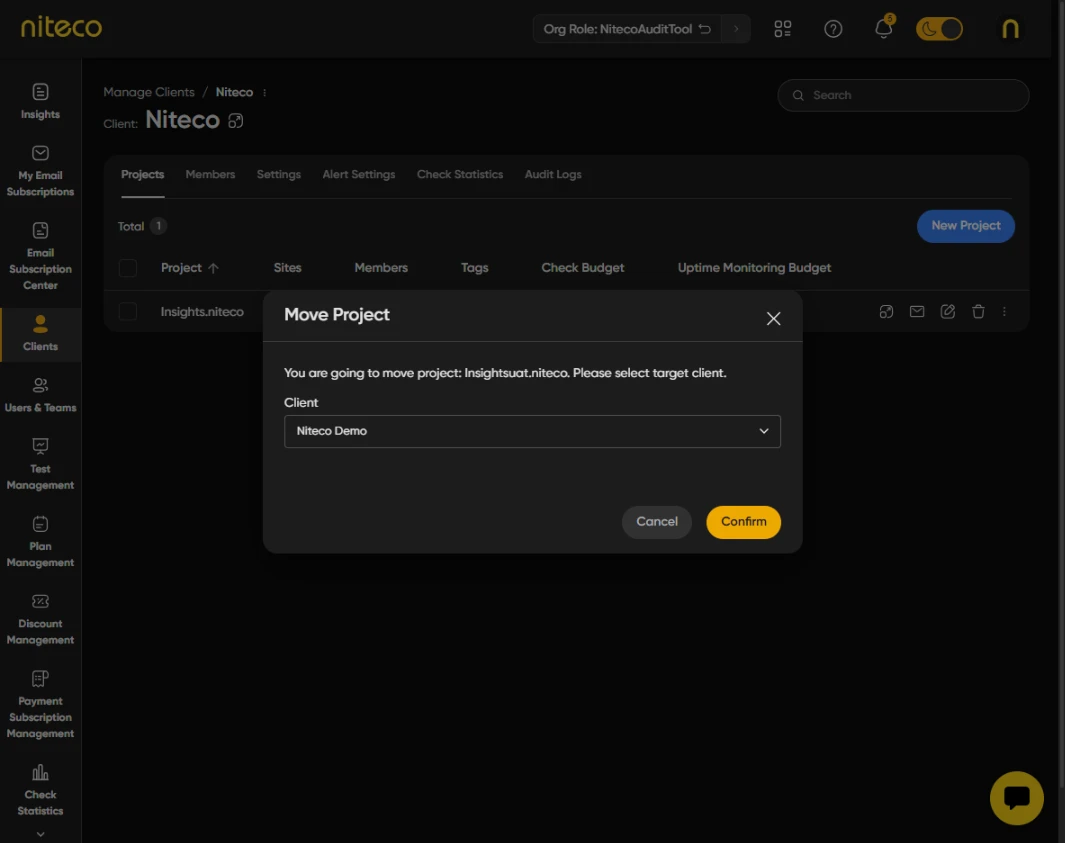
Choose the client which you wish to move the project to from the drop down list and click Confirm.
Move Sites to Another Project
You can move sites between projects and clients within your organization, provided you have admin role permissions for the relevant projects and clients.
Select Clients from the top menu and open the settings of the client that owns the project you want to move.
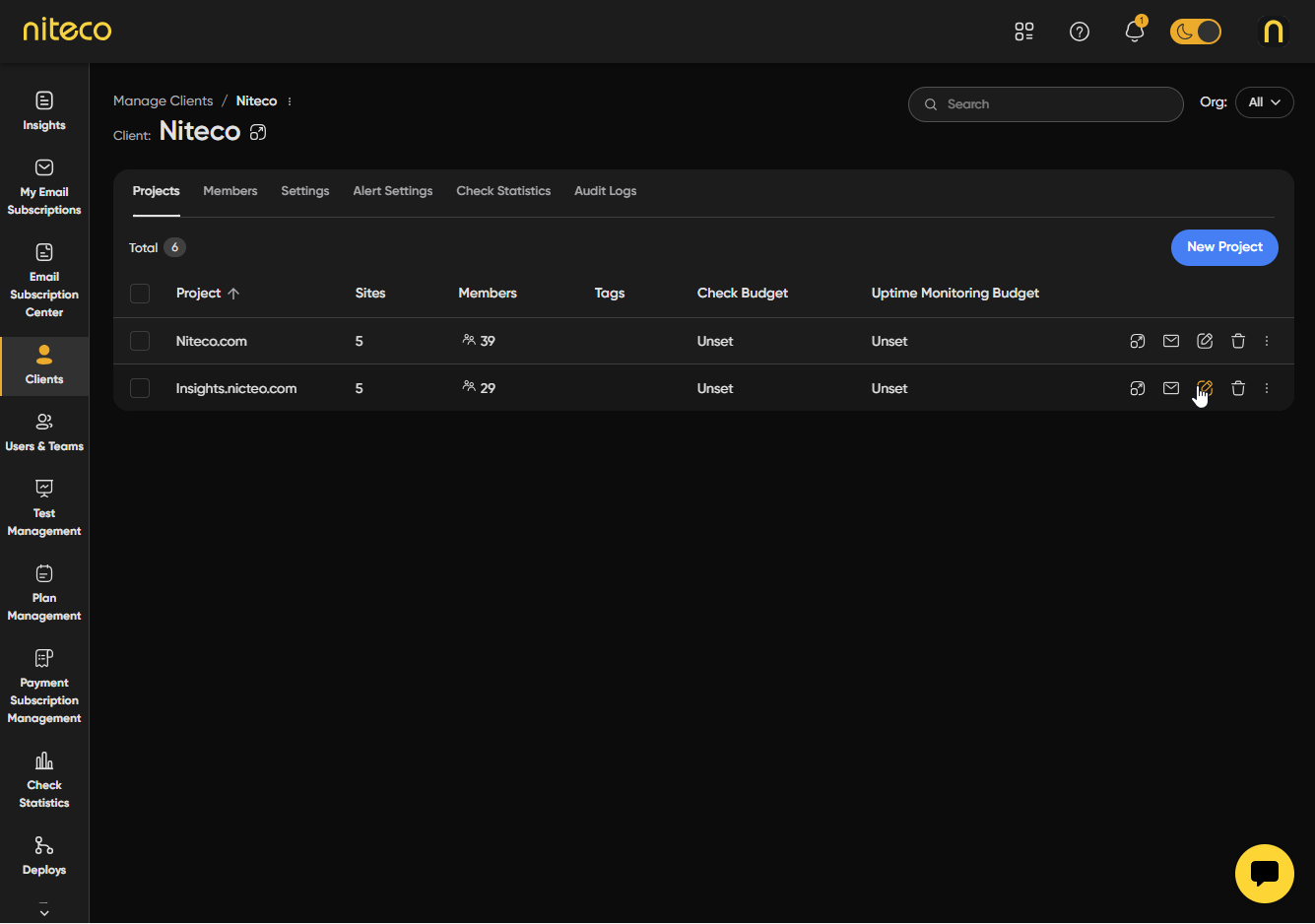
Choose the project which has the site you wish to move.
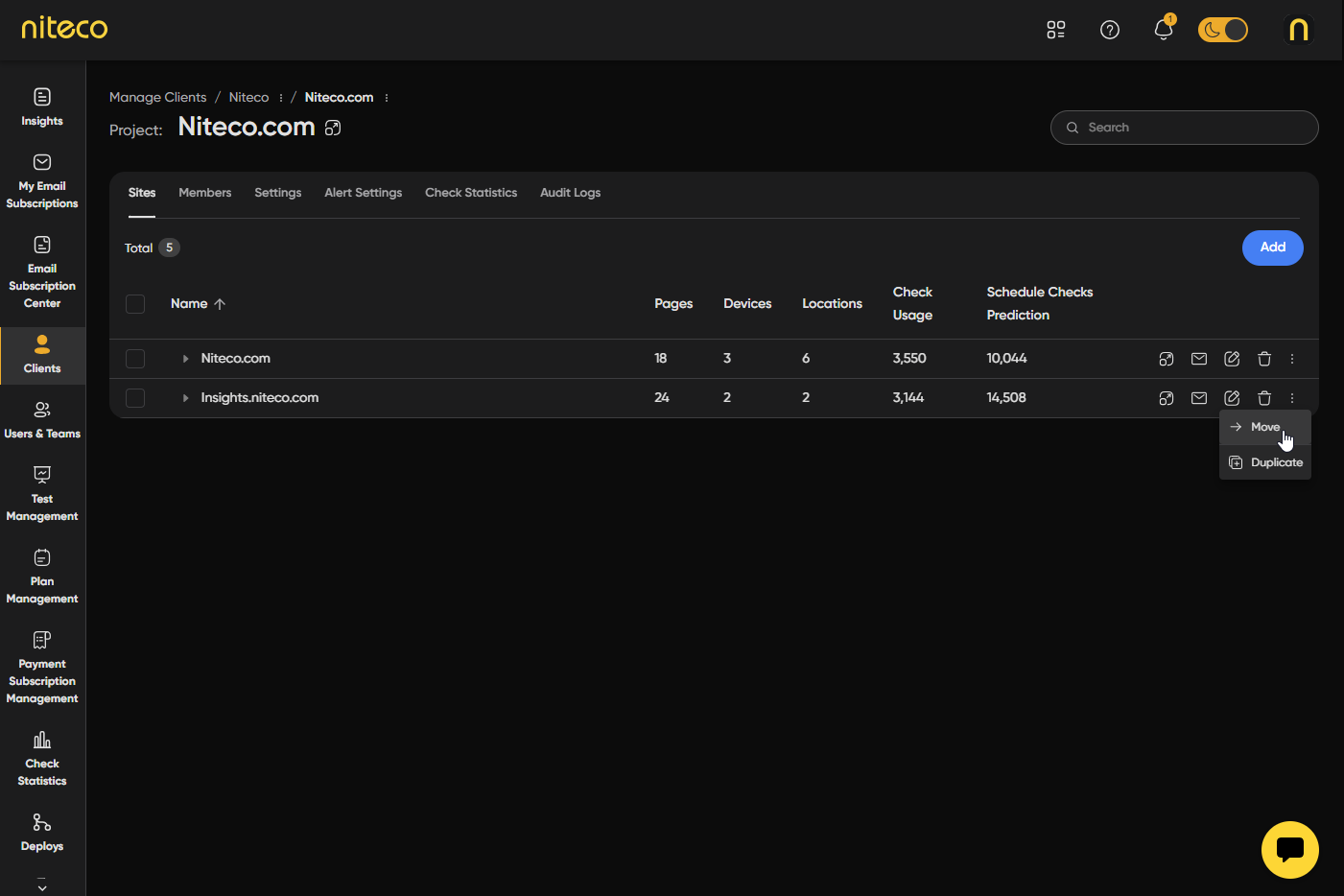
Click on the the options icon of the site you want to move and select Move Site.
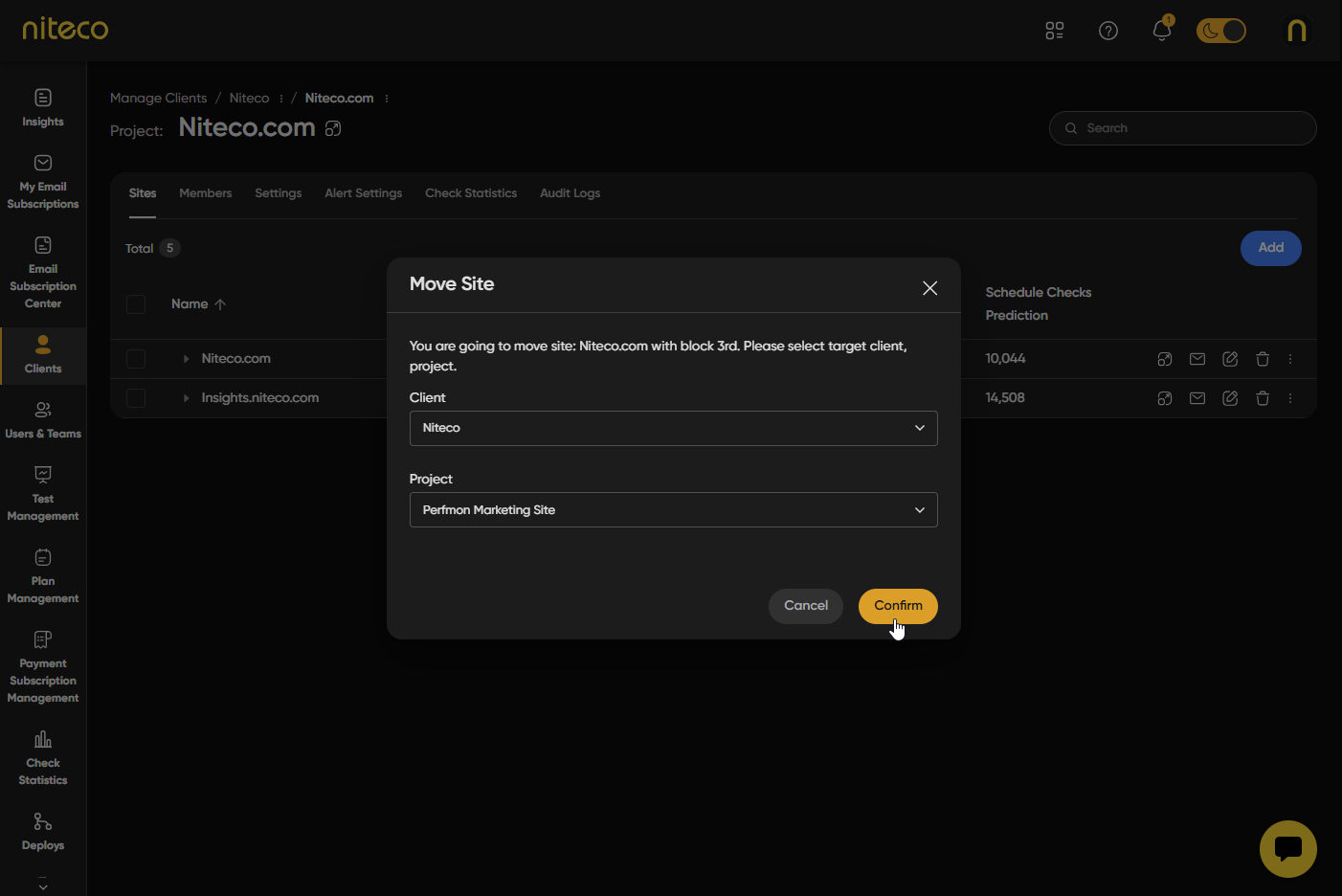
Choose the client and project you would like to move the site to from the drop down list and click Confirm
Updated 6 months ago