
Why Have My Tests Failed?
If your tests have failed there could be a number of reasons.
Firewalls and Bot Managers
A frequent reason for test failure is the blocking of Niteco Performance Insights tests by Firewalls and Bot Managers that prevent traffic from automated sources.
Response Time
A test may fail if the page load time exceeds 2 minutes.
Response Type
Tests will only be run if the server returns an HTTP 200 response. If the server returns any other response type the test will fail.
Understanding Response Codes:
Codes 204, 302, 400, 403, 404, 500, 502, 503, 524 are common HTTP response status codes.
Find Failed Tests
If your scheduled or manually triggered tests fail, you can view their status in the Test Management page.
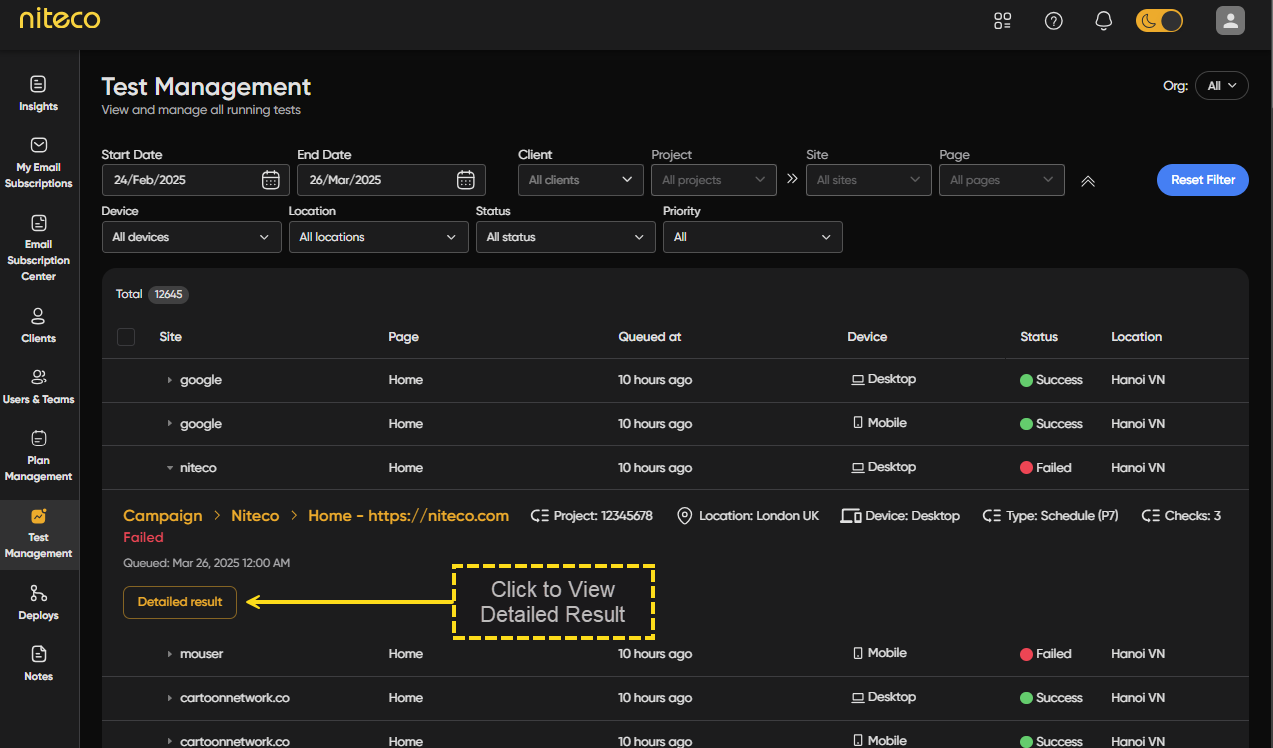
Select the test that failed from the test list and click on Detailed Result to open the full report.
To view the status of your tests click on Deploys in the top menu to navigate to the Manage Deploys page.
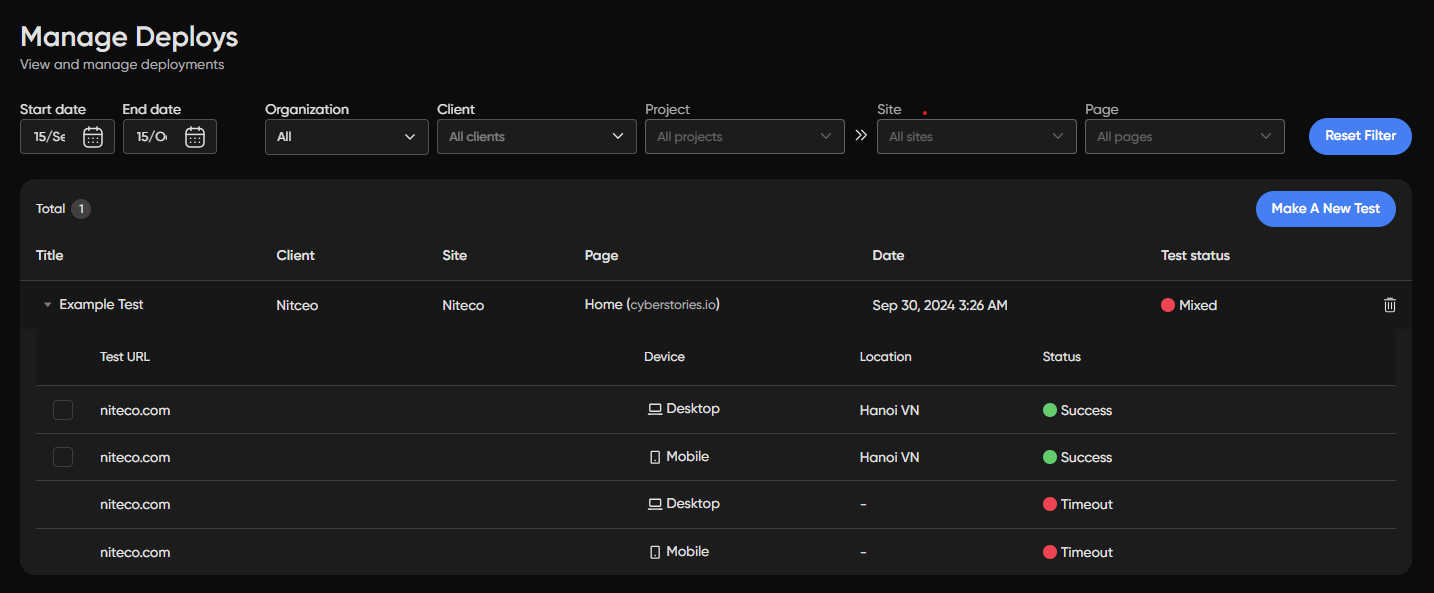
You can see the reason for the failure by looking at the status of the failed test. For more information hover over the f
Preventing Tests being Blocked
To avoid having Niteco Performance Insights tests obstructed by your bot management or firewall settings, the simplest solution is to add the Niteco Performance Insights user-agent to your safelist. You can achieve this by permitting all HTTP traffic that includes the user-agent string "NitecoPerfmon".
Another option is to set a custom Synthetic Test Agent name via the Synthetic Test Agent Name field. This defines the user-agent string used for Lighthouse and performance tests (e.g. MyCustomAgent/1.0), which you can then safelist in your firewall instead. This field can be set at the Organization, Client, Project, or Site level and follows an inheritance order of Site → Project → Client → Organization. Read Manage Test Settings for more information about setting a custom user-agent.
For additional strategies, please refer to our guide on testing private websites.
Preventing Lighthouse Tests being Blocked
Lighthouse tests can fail for many of the same reasons Niteco Performance Insights tests can fail. Lighthouse uses a distinct user-agent from standard Niteco Performance Insights tests. To prevent blockage, you should allow all HTTP traffic that contains the user-agent string "Chrome-Lighthouse" to avoid blocking tests coming from Lighthouse. Please note that Lighthouse tests also do not support scripting.
Getting help
If you are experiencing problem with failed tests and need help, please contact [email protected] for assistance.
Updated 6 months ago