
Debugging with Web Vitals
Web Vitals (LCP, INP, CLS, and related metrics) show how fast and stable your page feels to users. When scores are low, you can run a Web Vitals Analysis and get detailed suggestions with practical code examples (where applicable) which show you how to improve them. This is useful for finding why a vital is poor and what to change in your code or server.
Let's get started!
1. Open the Lighthouse Section
Navigate to the Performance section of your report and scroll to the Lab Test Web Vitals Summary . You will see the current metrics for the selected date and device.
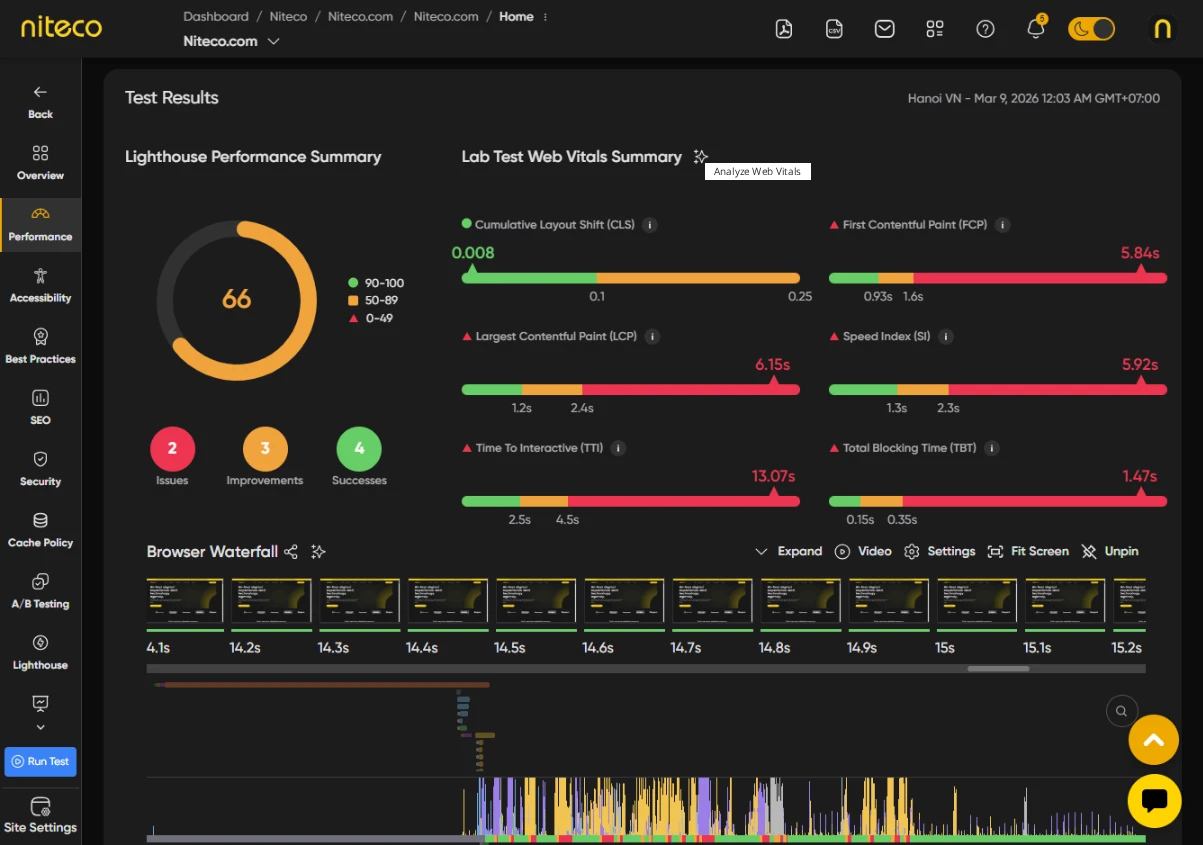
2. Analyze Web Vitals
Click on the Analyze Web Vitals button (star icon) in that section. The system runs an AI analysis.

When the analysis has completed a button will appear next to each web vital.
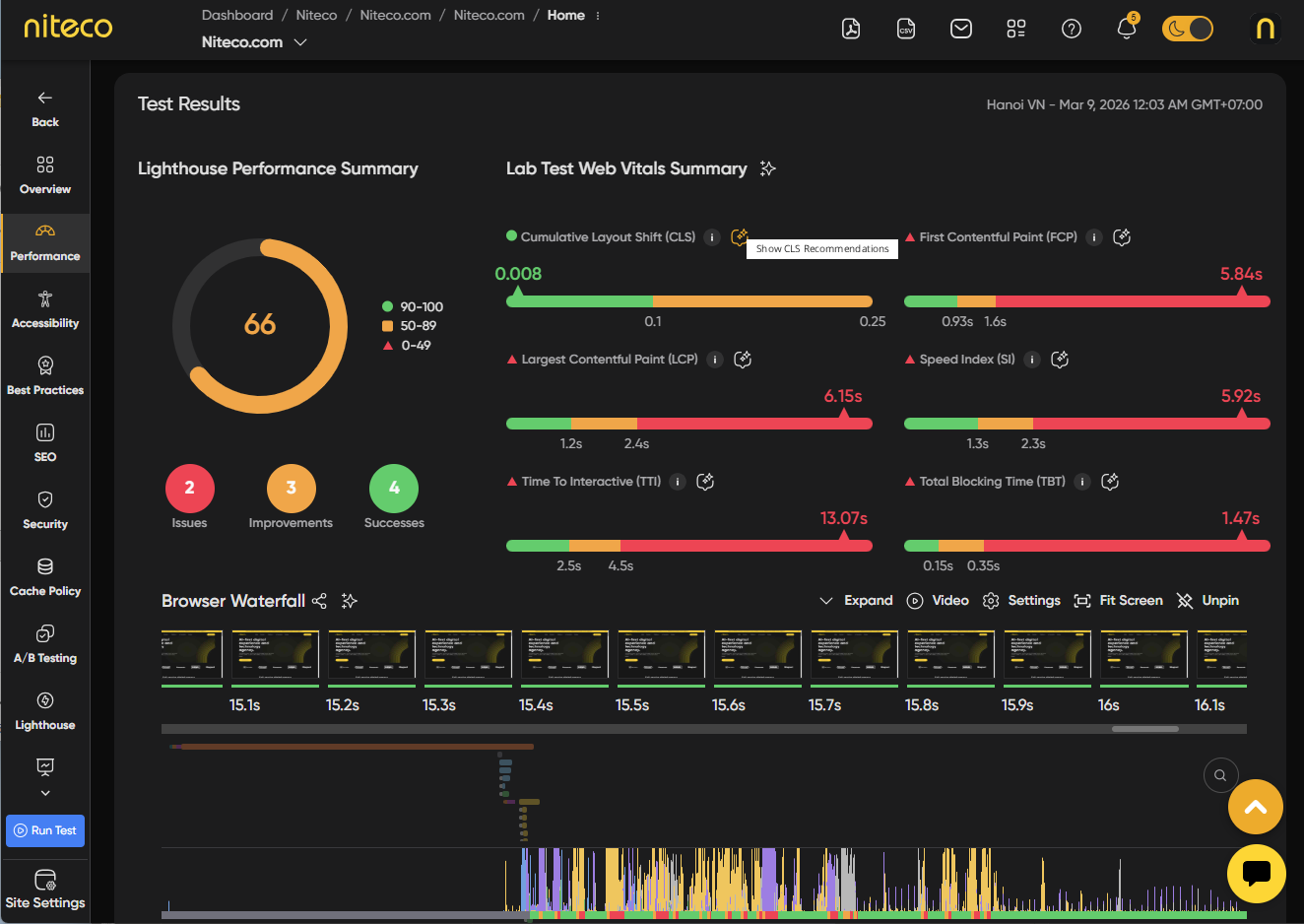
Click on the effected button next to the web vital you wish to improve to view the suggested solutions.
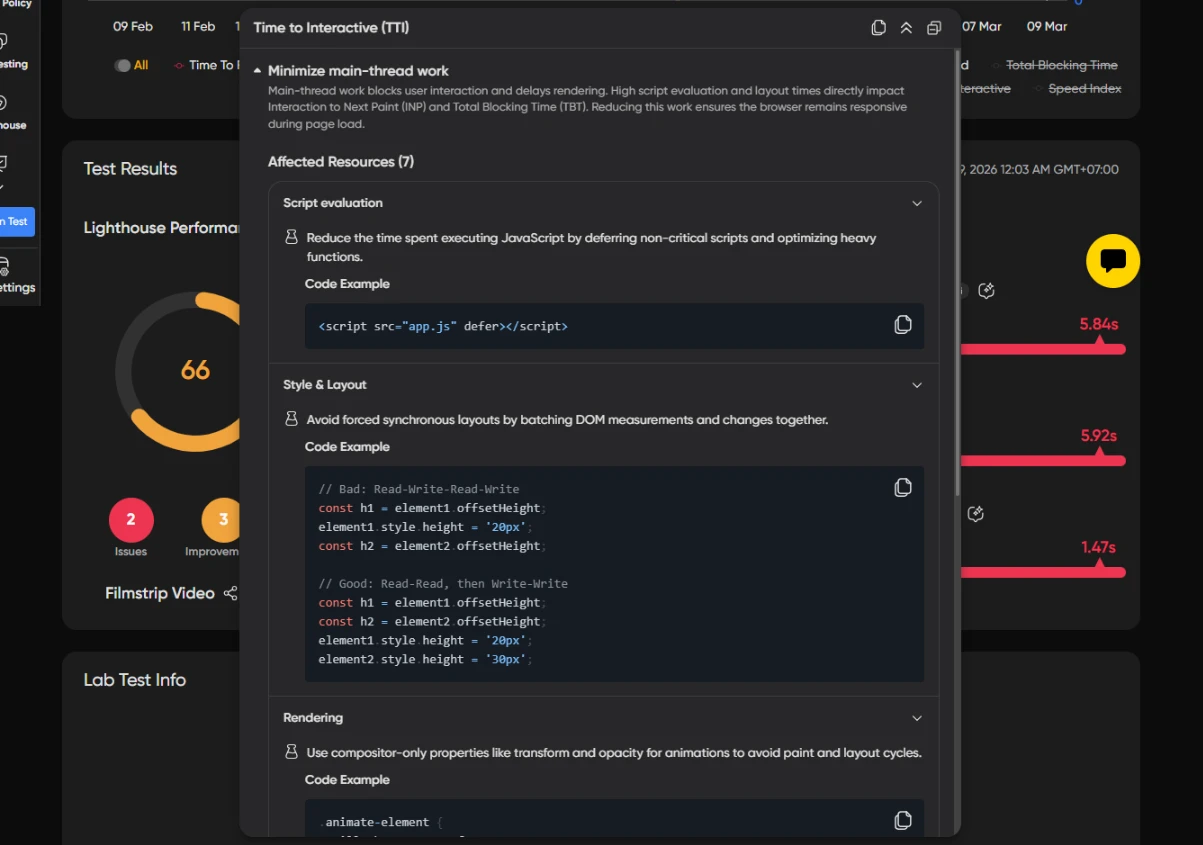
Unlike Lighthouse Audits, Web Vitals scores can be effected by a number of different problems making it difficult to pinpoint what is effecting the particular score. The analysis helps to quickly identify the collection of issues which need to be addressed to improve the score.
Each recommendation includes:
- Description – An explanation of the problem that contributes to the Web Vital score.
- Code Example/Fix Steps – A practical code solution (where applicable) or the steps needed to address the problem.
Updated 6 months ago