
A/B Testing (Beta)
We are excited to announce the launch of a new beta feature called A/B Testing in the Performance Insights tool, a new way to experiment with optimizations on any page before modifying your codebase. A/B Testing lets you select suggested optimizations from four categories — Performance, Accessibility, Best Practices, and Custom — and run them as an experiment against your original test.
How to use the A/B Testing
Navigate to any page report and select the A/B Testing tab from the left-hand menu.
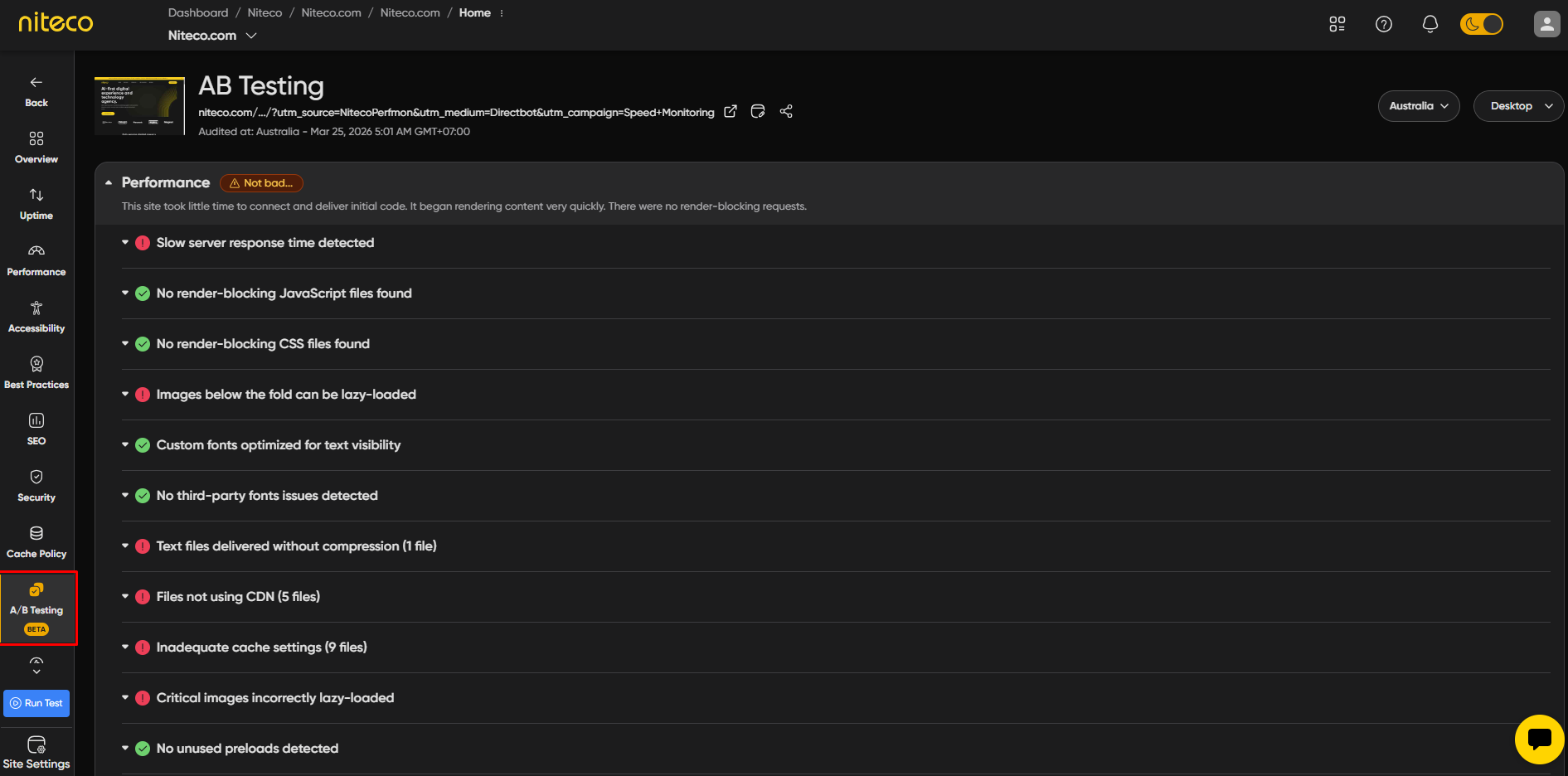
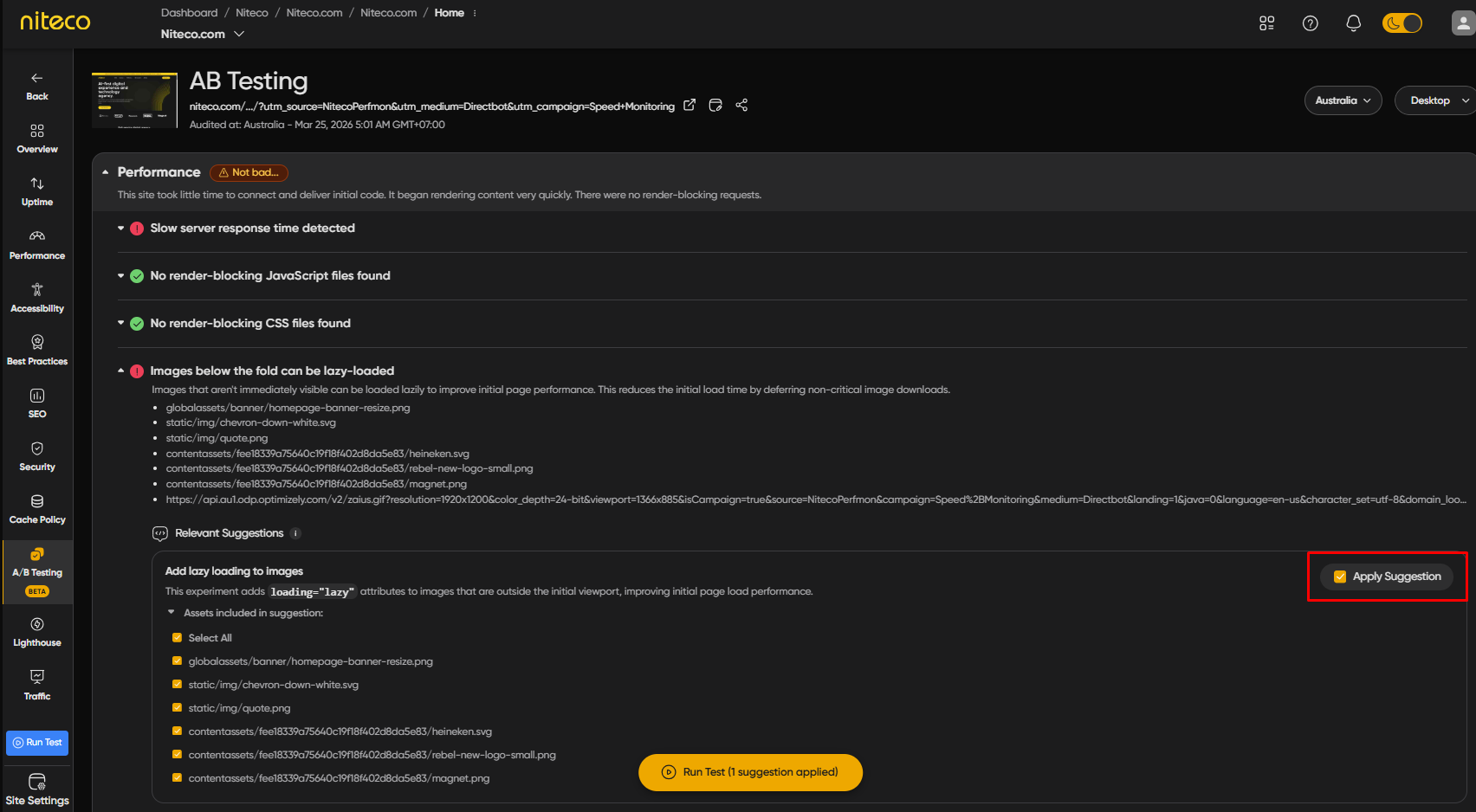
Expand the category with issues in each session. It includes a description of the issue, what the optimization does, and how it can improve your site metrics. Select “Apply Suggestion” if the checkbox is available to include it in your experiment.
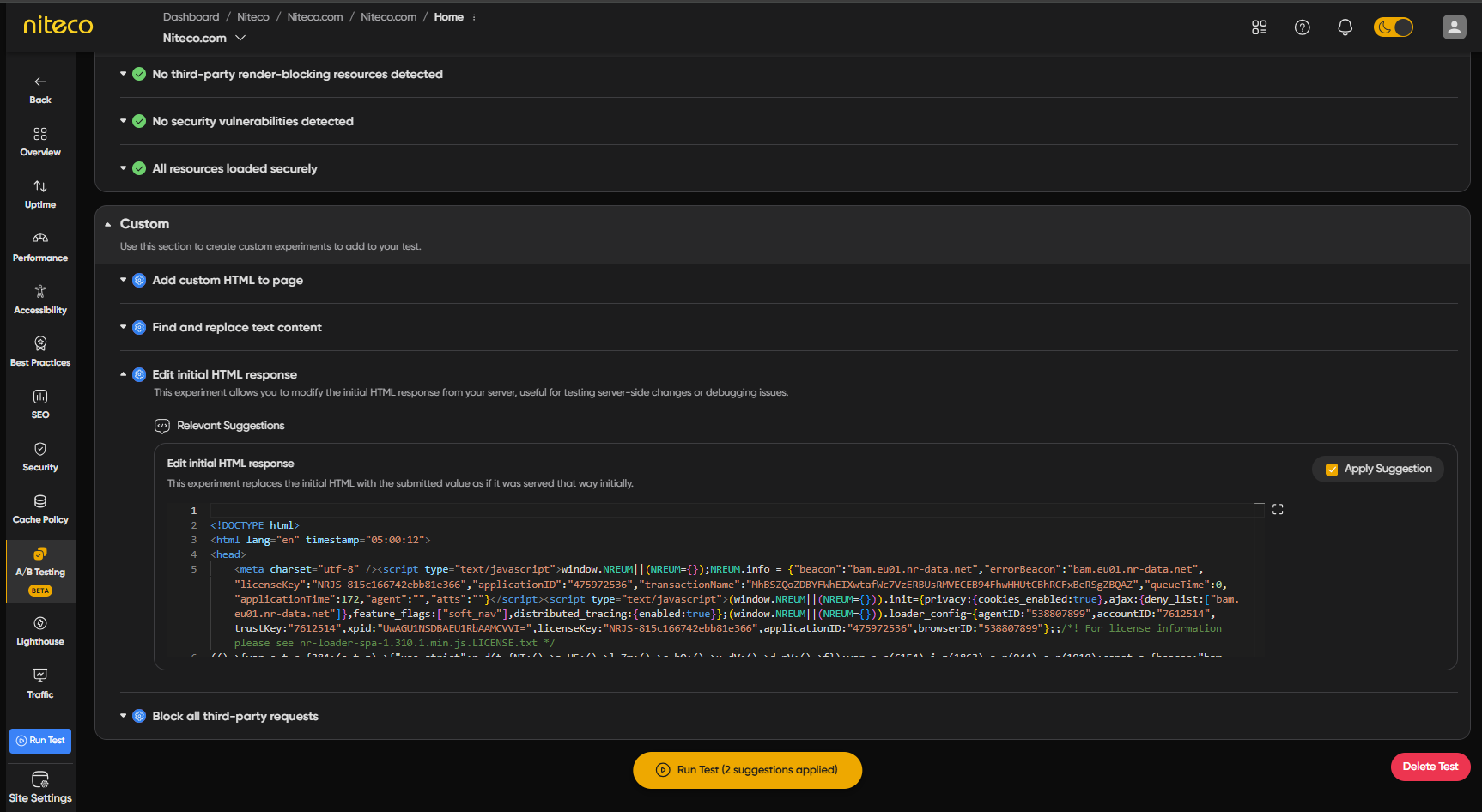
You can also edit the site HTML in Custom session and apply the changes to your experiment
When you are ready, click Run Test to automatically queue both a control test (the page unchanged) and an experiment test with your chosen optimizations applied. Wait for a few minutes for the tests to complete. The results of both tests are displayed in a Compare session, allowing you to assess the impact your applied optimizations had on Lighthouse scores, Web Vitals and other metrics.
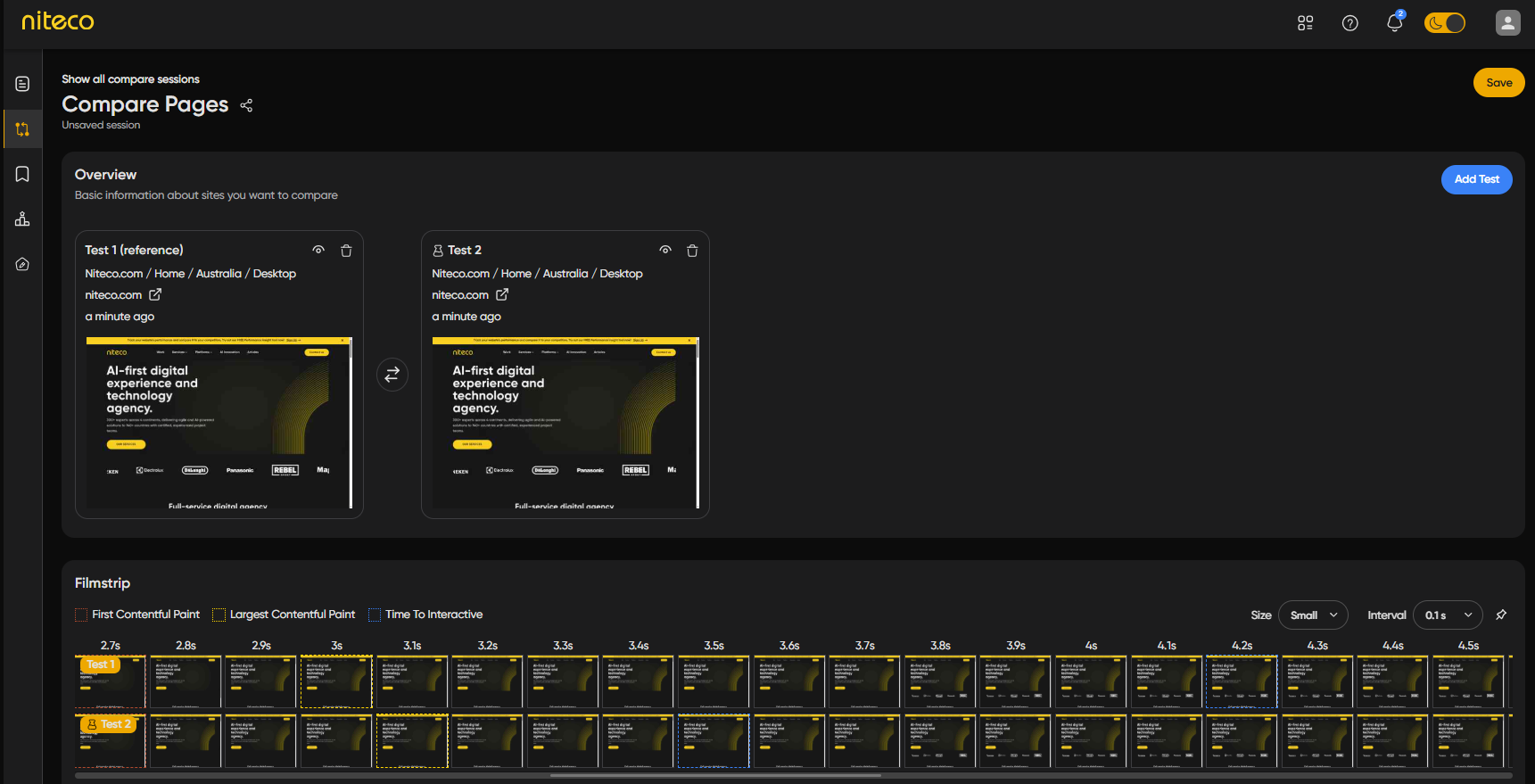
To view the test details of the experiment test, click on the View Report icon of the experiment test (Test 2 in the image above)
For more information read about A/B Testing in our docs.
Please note: Both the control and experiment tests are run over HTTP in order to support the experiment functionality.
Known Limitations
As this is a beta release, please be aware of the following known limitations:
- JavaScript can modify the DOM structure; therefore, some actions may not work if the DOM is changed by JavaScript.
- Image assets that are loaded from CSS will also not be able to apply these actions.
- Images from picture tag sometimes doesn’t work with the experiment test
- The resources have special characters may not work with the experiment test
- For SPA (Single Page Applications), these actions often do not work correctly and are generally recommended only for SSR (Server-Side Rendering).
If you encounter any additional issues, please inform the team via the chatbox in the tool