
New Site Change Alerts & Console Logs View
Our Latest release adds two new features to help you track changes on your sites:
Site Change Alerts
You can now receive site change alert emails when a page’s resources and console log errors/warnings change between test runs. This helps you quickly identify regressions and take action before they impact conversions and user experience. Alerts can also be sent to Slack, Teams, or a custom webhook.
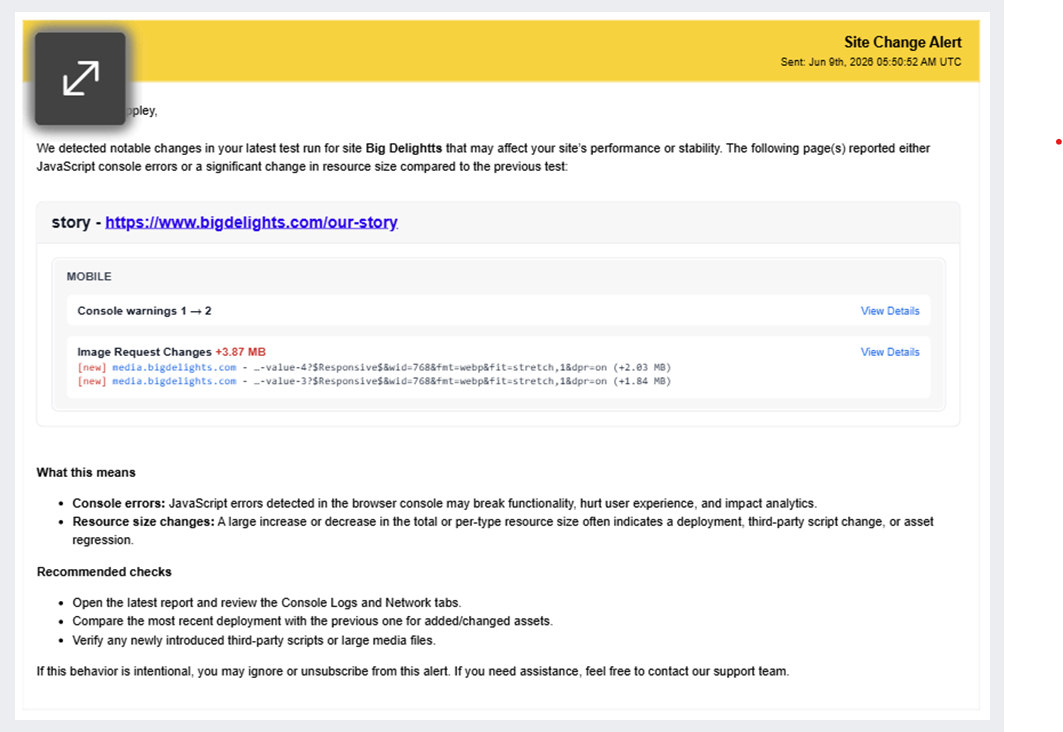
Each alert email is scoped to one site with one section per page, showing changes grouped by resource type. Changes are device specific (Desktop/Mobile) and each includes a View Details link that takes you to a compare session, showing you the exact resource change between tests.
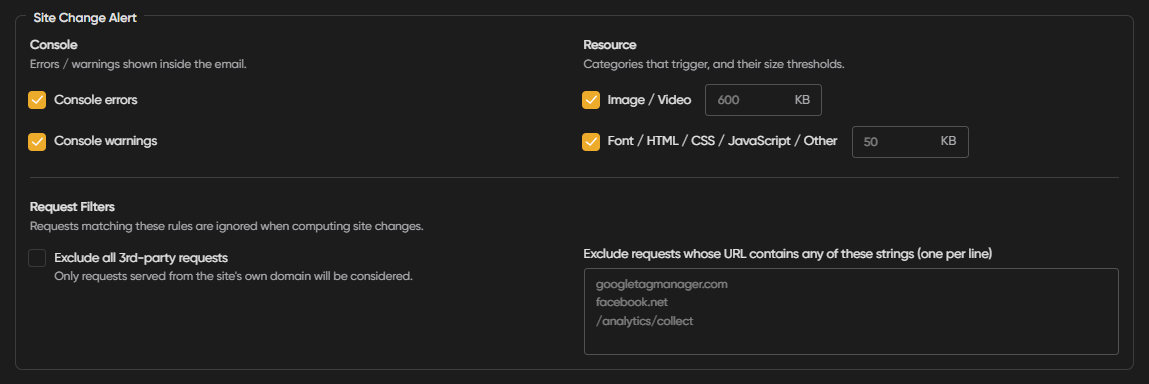
You can configure alerts at the Client, Project, or Site level, with settings cascading from one level to the next. Each change type can be toggled on or off independently, and you can set custom size thresholds that define when alerts are triggered to match your team’s requirements. You can also exclude requests by root domain or URL substring.
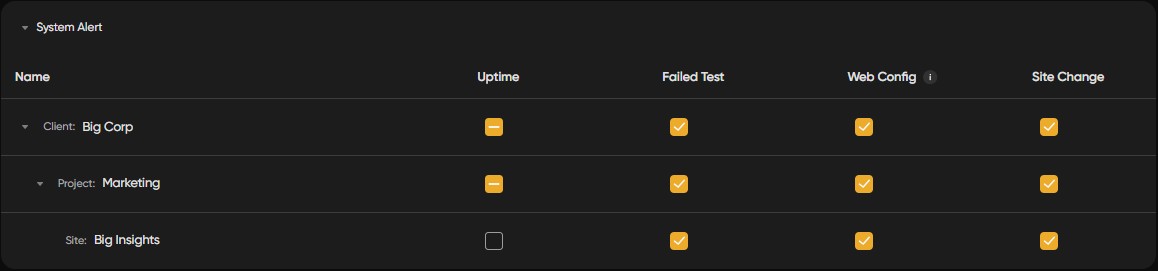
You can opt in/out of receiving resource change alerts by going to the alert settings at your required level (client/project/site) and checking/unchecking Site Change.
Console Logs
A new Console Logs view gives you full visibility into browser console output (errors, warnings, and logs) across the console page, the overview console card, and compare sessions.
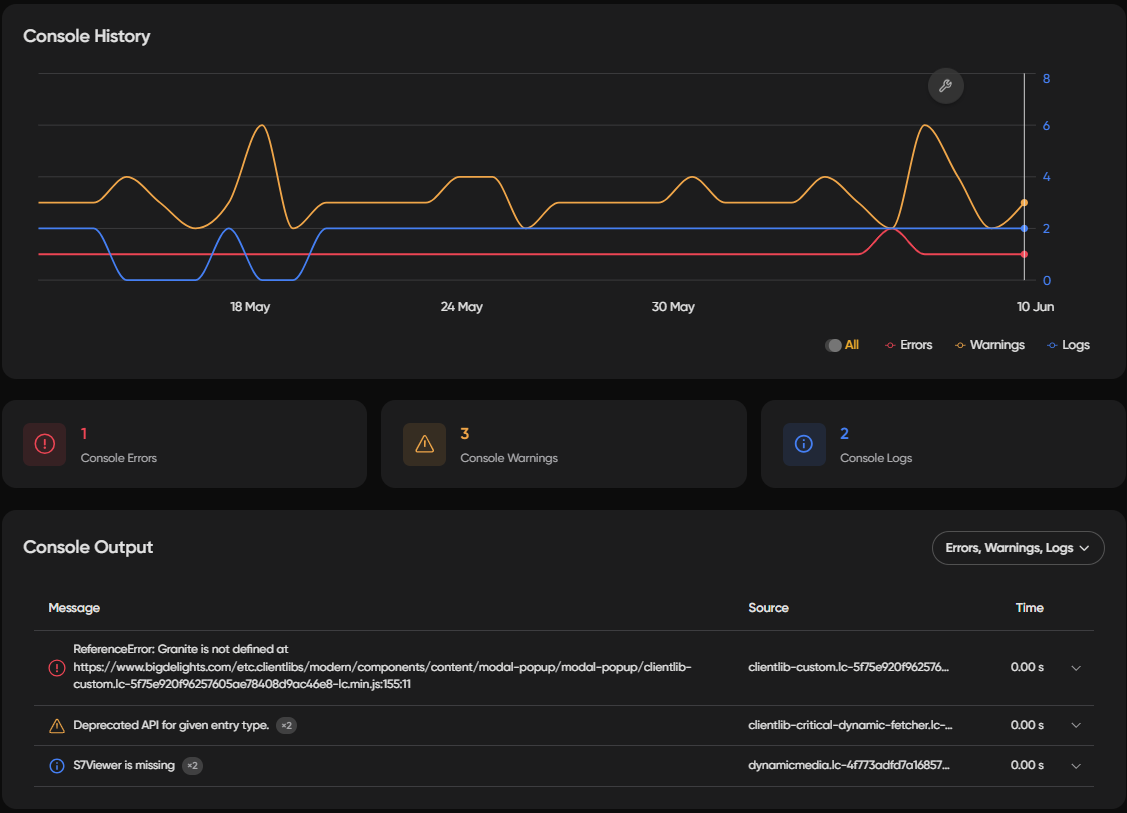
On the Console page, you can filter by log type: errors, warnings, and others, using the filter bar. The Overview console card includes a historical line chart of console activity over time, making it easier to spot trends at a glance.
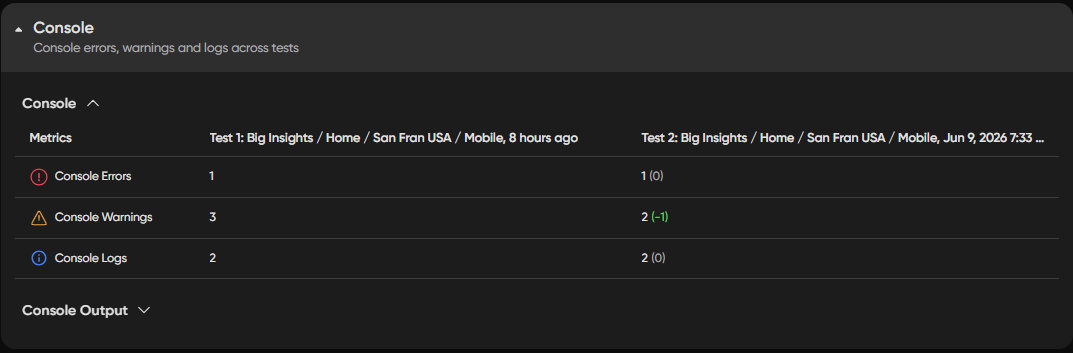
On the Compare page, console output is shown side-by-side with aligned headers. A/B test compare sessions include console logs, and hovering over test headers or card labels shows a tooltip with test details.